
Opticon NFT2100/2200 Fixed Position Barcode Scanner User's Guide

This is the user manual of a high speed CCD fixed position barcode scanner
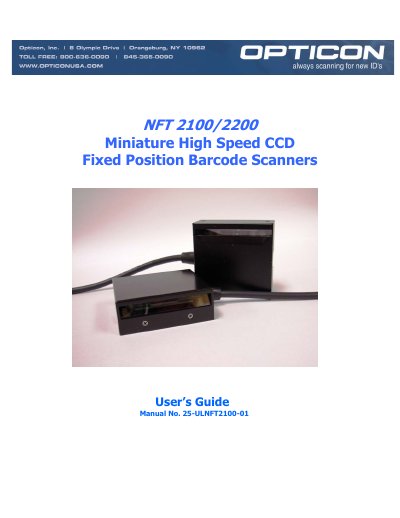

Opticon NFT2100/2200 Fixed Position Barcode Scanner User's Guide - cover page
Brand
Opticon
Category
Other Electronics
Document type
User Manual
Language
English
Pages
73
File format
PDF
File size
324 KB
Published
16 October, 2023
Updated
16 October, 2023
MD5 checksum
C88D4E2DDAC99FDDC070F0EEFD746E73

About this manual

This manual provides instructions for the Opticon NFT2100 and NFT2200 Fixed Position Scanners, which are miniature, 200 scan per second, CCD barcode readers designed for easy integration into host equipment. The guide covers quick start-up procedures, technical specifications, and positioning tips to achieve optimum performance.

What's inside

  • Introduction and Getting Started
  • Technical Specifications
  • Positioning the Scanner
  • Configuring the Scanner
  • Application Engineering Support
  • Scanner Labeling
  • Scanner Servicing and Maintenance
  • How to Program the Scanner
  • Computer Programming Commands
  • Bar Code Programming Commands

Specifications

Scan Rate200 scans per second ±10%
Light Source660 nm, visible red LED
Light ReceiverCCD Linear image sensor with 2048 pixels
Operating Voltage+5VDC + 5%
Current Operating130mA (max)
Baud Rate150 to 38,400 baud
Operating Temperature0° to +45° C
Connector9-pin, DB female connector with power pigtail

Frequently asked questions

What symbologies does the NFT2100/2200 support?

The scanners support Codabar, Code 39, Code 93, Code 128, Industrial 2 of 5, MSI/Plessey, WPC (UPC/EAN/JAN), IATA, Telepen, TriOptic, and SCode.

How do I deactivate the Trigger mode?

Send the command S7 from the PC keyboard to deactivate the Trigger mode and illuminate the red LED.

Download PDF (324 KB)

More Opticon Manuals


View all Opticon manuals →