
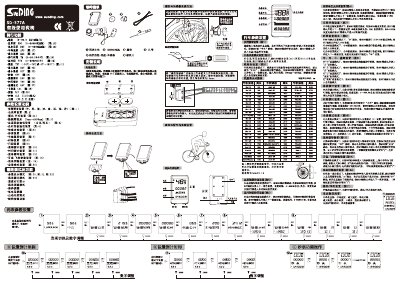
This manual provides step‑by‑step instructions for configuring the SD‑577A cycling computer, including language selection, unit conversion, wheel‑circumference calibration, and various alert settings. It also describes the hardware layout, battery type, and mounting method for bicycles with a 2 mm fork.
The document covers all operating modes such as speed, distance, time, temperature, calorie and fat tracking, as well as special functions like low‑voltage warning, maintenance reminder, and panoramic display. Users can adjust parameters via the MODE and SET keys and view real‑time data on the LCD screen. This manual is written in Chinese.
| Speed range | 0~99.9 km/h |
|---|---|
| Total mileage range | 0~99999 km |
| Battery type | CR2032 |
| Temperature range | -20°C~70°C (-4°F~158°F) |
| Weight setting range | 0~299 kg (or lbs) |
| Low‑voltage warning threshold | 2.7 V |
Long‑press the SET key for 3 seconds to enter language setting mode, then select the desired language and confirm with the SET key.
Open the battery compartment with a screwdriver, insert a new CR2032 cell, and close the cover.
Press the SET key to toggle between Celsius and Fahrenheit units.