
Key facts
- Manuals
- 4
- Models
- 1
- Brands
- 7
- Languages
- ZH
- Last added
- 2022-11-16
Bicycle models by brand
Featured Bicycle manuals
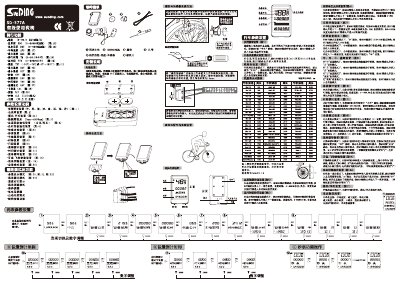
Sunding SD-577A User Manual
This manual provides step‑by‑step instructions for configuring the SD‑577A cycling computer, including language selection, unit conversion, wheel‑circumference calibration, and various alert settings. It also describes the hardware layout, battery type, and mounting method for bicycles with a 2 mm fork.
The document covers all operating modes such as speed, distance, time, temperature, calorie and fat tracking, as well as special functions like low‑voltage warning, maintenance reminder, and panoramic display. Users can adjust parameters via the MODE and SET keys and view real‑time data on the LCD screen. This manual is written in Chinese.
Covers: 主要功能介绍 · 语言设置 · 单位设置 · 轮胎周长设置 · 体重设置 · 车检里程设置

Precor C846I Fitness Bike Quick Operating Instructions
The guide explains the two main ways to start the bike. In Quick Start mode you adjust the seat, turn on the power, pedal to at least 20 rpm and press the QUICK START key. In Program Setting mode you can choose a training program, set workout time, user weight, age and other parameters before starting.
It also covers safety, maintenance, and optional settings such as unit conversion, language selection, and the Heart‑Rate Control program that automatically adjusts resistance to keep the rider’s heart rate within the target range. This manual is written in Chinese.
Covers: Quick Start Mode · Program Setting Mode · Program Descriptions · Heart Rate Control · Maintenance · Safety Precautions
Sunding SD-536B Bike Computer User Manual
The Sunding SD-536B is a single‑bike computer that displays speed, distance, time, and other ride data. It offers 14 functions such as current speed, odometer, trip distance, maximum speed, average speed, elapsed time, clock, auto‑scan, comparator, speed scale, tyre circumference, odometer initial value, and freeze‑frame memory.
The manual provides detailed instructions for installing the battery, mounting the magnetic sensor and magnet on the front fork, securing the unit on the handlebars, routing the cable, and setting wheel circumference, clock, and odometer values. It also covers mode operation, key functions, and common fault troubleshooting. This manual is written in Chinese.
Covers: Function Overview · Battery Installation · Sensor and Magnet Installation · Mounting the Unit · Cable Routing · Unit Installation
Latest Bicycle manuals
Sunding SD-577A User Manual
User Manual 2 pages · 4.3 MB · ZHThe Sunding SD-577A bike computer manual explains setup, language, wheel size, battery replacement and all display functions.
Polar CS100b/CS100 user manual
Polar CS100b user manual, mainly introduces the function of each button, usage method, data display and function setting in each mode.
Precor C846I Fitness Bike Quick Operating Instructions
Quick Start Guide 5 pages · 117 KB · ZHThis quick guide shows how to start, set programs, adjust resistance, and maintain the Precor C846I fitness bike.
Sunding SD-536B Bike Computer User Manual
User Manual 1 pages · ZHThis manual explains the functions, installation steps, settings, and troubleshooting for the Sunding SD-536B bike computer.
Which document do I need?
User Manual
Day-to-day operation, settings and troubleshooting. Start here if the product is already set up.
Quick Start Guide
The shortest path to a working setup, usually only a few pages.
Questions answered in Bicycle manuals
How do I change the display language?
Long‑press the SET key for 3 seconds to enter language setting mode, then select the desired language and confirm with the SET key.
How do I replace the battery?
Open the battery compartment with a screwdriver, insert a new CR2032 cell, and close the cover.
How can I adjust the resistance during a workout?
Use the RESISTANCE ▲ and ▼ keys on the control panel.
From: Precor C846I Fitness Bike Quick Operating Instructions
How do I install the battery?
Open the battery door, insert one AG13 battery with the positive (+) side up, then close the door.
How do I mount the magnetic sensor and magnet?
Attach the magnetic sensor to the front fork and the magnet on the same side, using the provided spacer and zip‑tie to fix them about 1 mm apart.