
This document describes the functions of the Sunding Bicycle Computer SD-548C (14Functions), including current speed, odometer, trip distance, maximum speed, average speed, elapsed time, etc. It also provides instructions for battery installation of the computer and sensor transmitter, as well as the installation position and adjustment method of the sensor transmitter.
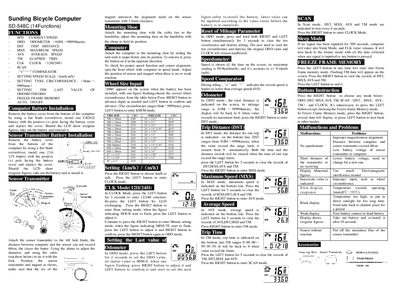
The Sunding SD-548C is a bicycle computer that offers speed, odometer, trip distance, maximum speed, average speed, elapsed time, clock, scan, and other functions. It displays current speed, total distance, and other data on an LCD screen and includes a sensor transmitter mounted on the fork.
The manual explains battery installation, mounting shoe attachment, wheel‑size input, sensor alignment, button operations for each mode, and how to reset or clear recorded data. It also lists common malfunctions and their remedies.
| Odometer range | 0.001 – 99999 km |
|---|---|
| Maximum speed display | 99.9 km/h |
| Speed accuracy | ±0.1 km/h |
| Trip time range | 0:00:00 – 99:59:59 |
| Battery type | CR2032 3 V |
| Maximum sensor distance | 60 cm |
| Wheel circumference range | up to 9999 mm |
Remove the battery cover, insert one CR2032 battery with the positive (+) pole facing the cover, and replace the cover.
After installing the battery, the screen shows a flashing figure; press the RIGHT button to change digits and the LEFT button to confirm the desired wheel size within the range up to 9999 mm.
In ODO mode, press and hold both RIGHT and LEFT buttons simultaneously for 3 seconds to clear the ODO value while keeping other settings unchanged.
Press the LEFT button to enter Freeze Frame Memory; the screen shows recorded data for TM, DST, MXS, and AVS, and pressing the RIGHT button cycles through the records.