
LaCie Biggest Quadra User Manual introduces the features and characteristics of LaCie Biggest Quadra, including minimum system requirements, package contents, specifications, drive views, cables and connectors, drive drawer locks, RAID, installing LaCie Biggest Quadra, using LaCie Biggest Quadra, maintaining LaCie Biggest Quadra, technical information, FireWire troubleshooting, USB troubleshooting, eSATA troubleshooting, troubleshooting, contacting customer support and warranty information.
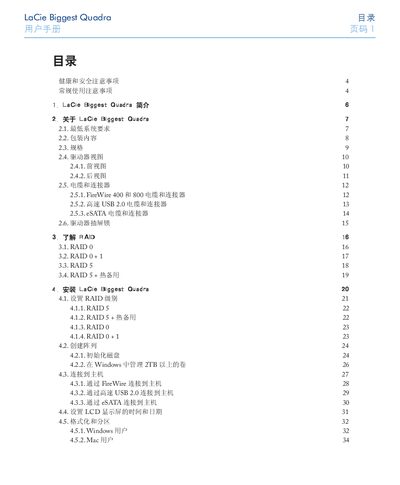
This manual introduces the LaCie Biggest Quadra RAID subsystem, its hardware features, supported RAID levels (0, 0+1, 5, 5+hot‑spare) and the benefits of using RAID for data protection. It details system requirements, packaging contents, specifications, and the layout of the drive bays and LCD panel.
Installation steps cover connecting the unit via FireWire, USB 2.0, eSATA or Ethernet, setting the RAID level, initializing disks, and formatting for Windows or Mac. Subsequent sections describe daily use, status indicators, firmware updates, technical information, FAQs for each interface, troubleshooting tips, and warranty and support contacts. This manual is written in Chinese.
| Weight | 25.3 lb / 11.5 kg |
|---|---|
| Dimensions (W×H×D) | 152.8 mm × 206.4 mm × 268.5 mm |
| Operating Temperature | 0 °C to 35 °C |
| Operating Humidity | 5 % to 95 % non‑condensing |
| Power Consumption | 200 W, input 100‑250 V AC |
| RAID 0 Usable Capacity | 100 % |
| RAID 0+1 Usable Capacity | 50 % |
| RAID 5 Usable Capacity | 75 % |
| RAID 5 + Hot Spare Usable Capacity | 50 % |
No. The LaCie Biggest Quadra cannot create an array with only two disks; you need three disks to create a RAID 5 + hot‑spare configuration.
The unit requires 200 W of power, with an input voltage range of 100‑250 V AC and provides +5 V/10 A, +12 V/10 A, and +3.3 V/5 A outputs.