
LaCie Little Disk User Guide. It introduces the features of LaCie Little Disk, how to connect, format, troubleshoot, etc.
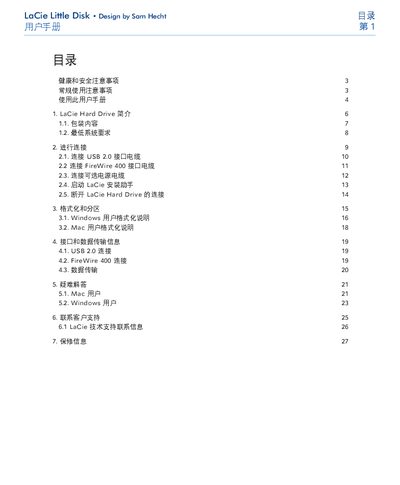
This Chinese-language user manual is for the LaCie Little Disk external hard drive. It covers safety and handling precautions, package contents, system requirements, connection steps, formatting and partitioning, interfaces and data transfer, troubleshooting, customer support, and warranty information.
The manual also distinguishes between Little Disk models using applicability marks, and includes connection instructions for USB 2.0 and FireWire 400, plus optional power-cable guidance for supported models. This manual is written in Chinese.
| Windows support | Windows 2000, Windows XP, or Windows Vista |
|---|---|
| Mac support | Mac OS 10.3 or later |
| Linux support | Linux 2.4 or 2.6 |
| Minimum RAM | 32 MB or more |
| Windows processor | 233 MHz Pentium or higher |
| Mac processor | G3 or higher, or Intel Core |
| Interfaces | USB 2.0 or FireWire 400 |
| Power supply | 100-240 V~, 1.5 A, 60-50 Hz |
| Operating temperature | 5 to 35 C (41 to 95 F) |
| Operating humidity | 5 to 80% non-condensing |
| Non-operating humidity | 10 to 90% non-condensing |
| Integrated USB cable length | About 2 inches |
Connect the optional power cable as described in the manual's power-cable section.
It is about 2 inches long, and it should not be pulled longer.
The package includes the drive, power cable, FireWire 400 cable, USB extension cable, and Quick Install Guide, with some cables not included with certain models.
The manual marks applicable sections with a check mark and non-applicable sections with an X beside each model.