
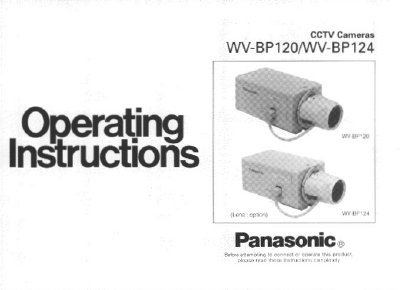
Panasonic WV-BP120/WV-BP124 CCTV Camera Operating Instructions


Panasonic WV-BP120/WV-BP124 CCTV Camera Operating Instructions - cover page
Brand
Panasonic
Category
Monitoring Equipment
Document type
User Manual
Language
English
Pages
22
File format
PDF
File size
396 KB
Published
08 August, 2012
Updated
08 August, 2012
MD5 checksum
58992608F76552A90A58B1A65B35E27C

About this manual

This manual provides operating instructions for the Panasonic WV-BP120 and WV-BP124 CCTV cameras. It details the major operating controls, including the lens selection switch, flange-back adjusting ring, and various connectors for power and video output. The document explains how to set up the camera for different lens types and lighting conditions.

What's inside

  • Preface
  • Features
  • Precautions
  • Major Operating Controls
  • Lenses
  • Focus or Flange-Back Adjustment
  • Installation of Camera
  • Prevention of Blooming and Smear
  • Lens Maintenance and Cleaning
  • Specifications

Specifications

Image Sensor1/3 inch interline transfer CCD
Horizontal Resolution380 lines
Minimum Illumination0.15 Ix at F1.4
Operating Temperature-10°C to +50°C
Humiditybelow 90%
Input Power (WV-BP120)120V AC 60 Hz
Input Power (WV-BP124)24V AC 60 Hz

Frequently asked questions

What is the minimum illumination for the WV-BP120/WV-BP124?

The minimum illumination is 0.15 Ix at F1.4.

Can the camera use a fixed iris lens?

Yes, by selecting the ELC mode, a fixed or manual iris lens can be used.

What is the operating temperature range?

The camera should be used where temperatures are within -10°C to +50°C.

Download PDF (396 KB)

More Panasonic Manuals


View all Panasonic manuals →