
This unit is compatible with Caller ID. To use this feature, you must subscribe to the appropriate service offered by your service provider. Please read these Operating Instructions before using the unit and save for future reference. For assistance, visit our website: http://www.panasonic.com/phonehelp for customers in the U.S.A. or Puerto Rico. Charge the handset battery for 4 hours before initial use. Home Communication System Cellular Connection Package Model No. KX-TH102-C Operating Instructions Table of Contents 2 For assistance, please visit http://www.panasonic.com/phonehelp Introduction Feature highlights. . . . . . . . . . . . . . . . . . 3 Accessory information . . . . . . . . . . . . . . 5 Expanding your phone system . . . . . . . . 7 Important safety instructions . . . . . . . . 10 For best performance . . . . . . . . . . . . . . 12 Preparation Setting up the base unit . . . . . . . . . . . . 13 Setting up the handset . . . . . . . . . . . . . 16 Battery charge . . . . . . . . . . . . . . . . . . . 16 Battery replacement . . . . . . . . . . . . . . . 17 Controls . . . . . . . . . . . . . . . . . . . . . . . 18 Displays . . . . . . . . . . . . . . . . . . . . . . . 21 Symbols used in these operating instructions . . . . . . . . . . . . . . . . . . . . . . 23 Setting the unit before use . . . . . . . . . . 24 C Making/Answering Calls Making calls . . . . . . . . . . . . . . . . . . . . . 26 Answering calls . . . . . . . . . . . . . . . . . . 28 Useful features
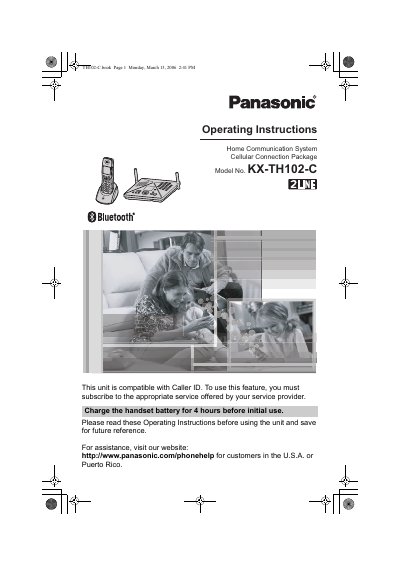
This manual provides operating instructions for the Panasonic KX-TH102-C Home Communication System Cellular Connection Package. The system includes a cordless handset and a base unit, featuring a 2-line telephone capability and compatibility with Caller ID services. Users must subscribe to an appropriate service from their provider to utilize Caller ID.
The document details how to set up the base unit and handset, including charging and replacing the battery. It covers essential functions such as making and answering calls, using the intercom, transferring calls, and conference calling. A key feature is the cellular connection, which allows users to make or answer cellular calls using Bluetooth-compatible cellular phones via the handset or base unit.
| Line Configuration | 2 LINE |
|---|---|
| Handset Battery Charge Time | 4 hours |
| Maximum Handsets | 8 |
| Maximum Other Devices | 10 |
| Maximum Cellular Phones | 5 |
You must charge the handset battery for 4 hours before initial use.
No, the unit is compatible with Caller ID, but you must subscribe to the appropriate service offered by your service provider to use it.
Yes, if your cellular phone is Bluetooth wireless technology compatible with the home communication system, you can make or answer cellular calls.