
This application note provides information on the use of the application programming interface (API) of the iNEMO™ software development kit (SDK), which provides easy-to-use function calls to obtain data from the sensors or to change settings. The dynamic link library (DLL) object handles the hardware communication interfacing and is an easy way to achieve (soft) real-time performance. Typically, this is preferred when you want to access the iNEMO board (STEVAL-MKI062V1) capabilities directly in the MathWorks™ MATLAB® application software.
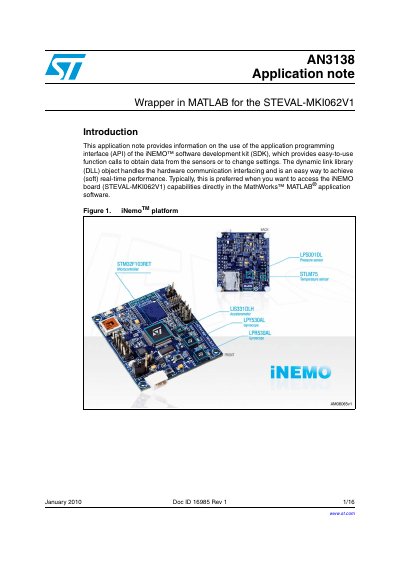
This document provides an application note for using the MATLAB wrapper for the STEVAL-MKI062V1 iNEMO software development kit (SDK). It explains how to use the application programming interface (API) to obtain data from sensors or change settings via the dynamic link library (DLL) object within the MathWorks MATLAB application software.
The guide covers the necessary prerequisites, including the required MATLAB version and board configuration. It details the package description, generic MATLAB script usage, and the specific main functions available for connecting to the board, starting and stopping data acquisition, and acquiring data samples.
| Compatible MATLAB Version | MathWorks MATLAB 7.8 (release R2009a and higher) |
|---|---|
| Supported Acquisition Frequencies | 1, 10, 25 or 50 Hz |
MathWorks MATLAB 7.8 (release R2009a and higher) is compatible with the INEMO SDK object.
You must view the list of available ports in the Device Manager under Ports (COM & LPT) to find the string containing the COM port number.