
This application note describes how to interface a Microsoft® Visual Studio® project with the dynamic link library (DLL) of the application programming interface (API) of the iNEMOTM software development kit (SDK). The DLL object handles the hardware communication interfacing and is an easy way to achieve (soft) real-time performance. The use of DLLs helps with the modularization of code, code reuse, efficient memory use, and reduction of disk space. Typically, this is preferred when you want to access the iNEMOTM demonstration board (STEVAL-MKI062V1) capabilities directly from a software project without accessing the microcontroller firmware.
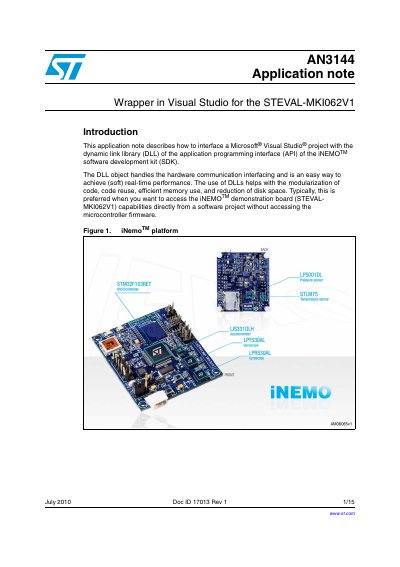
This document explains how to create a C++ wrapper for the iNEMO SDK dynamic link library (DLL) using Microsoft Visual Studio. It details the process of interfacing a software project with the iNEMO software development kit (SDK) to achieve real-time performance when accessing the STEVAL-MKI062V1 demonstration board capabilities.
The guide covers setting up the Visual Studio project, identifying the COM port assigned to the board, and implementing dynamic loading of the iNEMO_SDK.dll. It also provides a list of exported functions available in the DLL for controlling data acquisition and device connection.
You must download and install iNEMO application version 1.0.8 or higher before using the C++ code described in this note.
You should type INEMO_Cpp_Wrapper into the Name text box and then click OK.