
Panasonic TQD2A19011 Television Setup Guide

This document is a user manual for Panasonic VIERA television. The manual provides information on how to register the TV, reset it, and contact support.
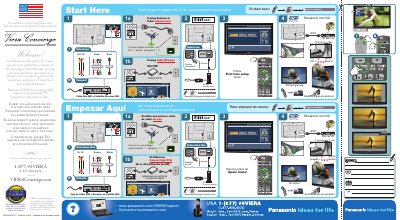

Panasonic TQD2A19011 Television Setup Guide - cover page
Brand
Panasonic
Category
Television
Document type
User Manual
Language
English
Pages
1
File format
PDF
File size
8.3 MB
Published
03 August, 2012
Updated
30 September, 2023
MD5 checksum
92A4DA0088EC69303384D960A44F7953

About this manual

This document is a quick setup guide for the Panasonic TQD2A19011 flat panel television. It provides instructions for the first-time setup process, including language selection, antenna or cable connection, and running an auto program to scan for digital channels. The guide also details settings for VIERA CAST and network configuration.

What's inside

  • First time setup
  • ANT/Cable setup
  • Network setting
  • VIERA CAST setting
  • Clock
  • Input labels
  • Auto program

Frequently asked questions

How do I start over on the TV?

To start over, unplug the TV power for 3 minutes.

How do I watch digital channels?

Use the "-" button to adjust the channel number, for example 4 - 1.

What is the Panasonic support hotline number?

The toll-free hotline is 1-877-95VIERA (1-877-958-4372).

Download PDF (8.3 MB)

More Panasonic Manuals


View all Panasonic manuals →