
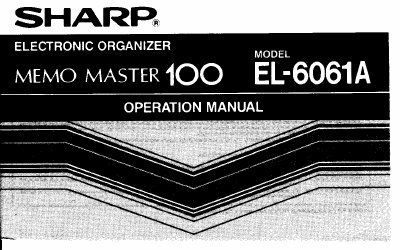
Sharp EL-6061A Electronic Organizer Operation Manual


Sharp EL-6061A Electronic Organizer Operation Manual - cover page
Brand
Sharp
Category
Other Electronics
Document type
User Manual
Language
English
Pages
47
File format
PDF
File size
792 KB
Published
02 August, 2012
Updated
22 August, 2012
Model
EL-6061
MD5 checksum
C62614A66265CB638EE6296C0B923199

About this manual

This document is the Operation Manual for the Sharp EL-6061A Electronic Organizer, also referred to as the Memo Master. It covers essential user information including cautions for handling the device, initial setup procedures such as resetting the memory, and detailed descriptions of the various keys and their functions.

What's inside

  • Cautions
  • Using the Organizer for the First Time
  • Part Names
  • Selecting Operation Modes
  • Entering Characters
  • Telephone Mode
  • Schedule Mode
  • Secret Function
  • Memory
  • Power Supply

Specifications

Product NameElectronic Organizer

Frequently asked questions

What should I do if no keys respond?

Press the RESET switch on the back of the Organizer and then press any key other than the Power OFF key.

How do I clear all data from the memory before using it?

Press and hold the RESET switch on the back, then press [SHIFT] and [ENTER], repeating the process if necessary.

What should I do if an internal error occurs?

If 'DATA PROBLEM' and 'PRESS RESET!' are displayed, press the RESET switch to clear the error.

Download PDF (792 KB)

More Sharp Manuals


View all Sharp manuals →