
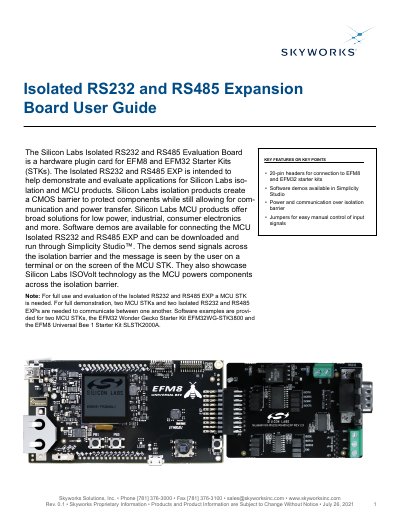
This user guide explains how to use the Isolated RS232 and RS485 Expansion Board for evaluating isolation and MCU products. It includes setup instructions, software demos via Simplicity Studio, and hardware details like jumpers and headers. The board enables communication and power transfer across isolation barriers using RS232 and RS485 protocols.
The guide covers connecting the board to MCU Starter Kits, loading demo code, and configuring jumpers for RS232 and RS485 signals. It also details supported applications in industrial, medical, and automotive markets, and lists key components such as Si88242ED-IS and ISL3332IAZ.
| Isolation Components | Si88242ED-IS, Si8631BB-B-IS1, ISL3332IAZ, UTB02268s |
|---|---|
| Supported Protocols | RS232 and RS485 |
| Connection Interface | 20-pin header for EFM8 and EFM32 Starter Kits |
| Software Support | Simplicity Studio |
An MCU Starter Kit (EFM8 or EFM32) is required. For full demonstration, two MCU STKs and two EXP boards are needed.
The board includes Si88242ED-IS, Si8631BB-B-IS1, ISL3332IAZ, and UTB02268s for isolation and signal conversion.