
This document is a quick reference manual for the XG-NV6X projector, which introduces the steps to connect the power cord, connect the computer, and connect the remote control receiver.
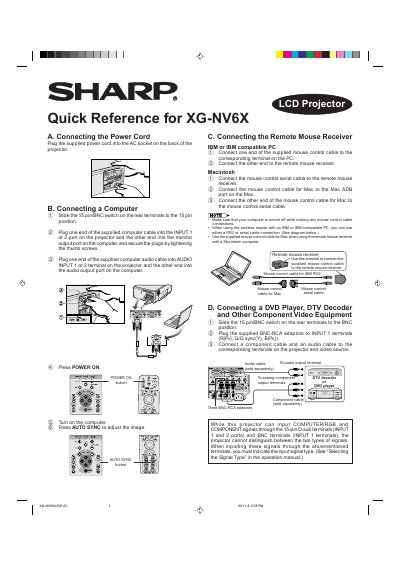
This document serves as a quick reference for the Sharp XG-NV6X LCD projector. It provides step-by-step instructions for connecting the power cord, linking a computer (IBM or Macintosh compatible), and attaching remote mouse receivers. It also details how to connect various video sources such as DVD players, DTV decoders, VCRs, and Laser Disc players using appropriate cables and adapters.
Press the LENS button to change the screen mode until a normal screen appears.
This is expected when adjusting the KEYSTONE setting, but you should not touch the lens while focusing or zooming.
Yes, you can use either a PS/2 or serial cable connection for the wireless mouse.