
Quick reference guide introduces how to connect Notevision 7 projector to power cord, computer and mouse
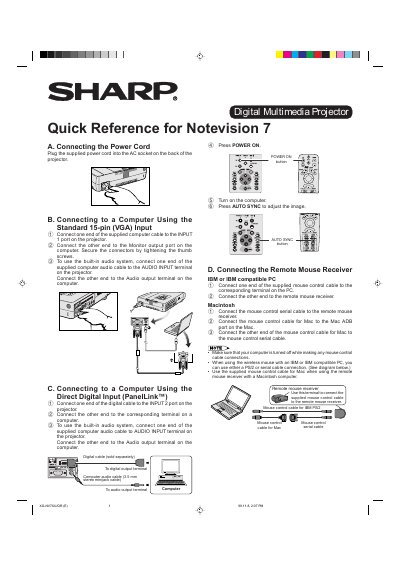
This document serves as a quick reference for the Sharp Notevision 7 series of digital multimedia projectors. It provides essential instructions for connecting the device to a power source and various computer systems.
The guide details how to connect the projector using standard VGA inputs or Direct Digital Input (PanelLink™). It also explains the setup for built-in audio systems and connects remote mouse receivers for both IBM-compatible PCs and Macintosh computers.
Connect one end of the supplied computer cable to the INPUT 1 port on the projector and the other end to the Monitor output port on the computer.
Connect one end of the supplied mouse control cable to the corresponding terminal on the PC and the other end to the remote mouse receiver.