
This user guide details some issues regarding the EVAL-CONTROL BRD2Z/EVAL-CONTROL BRD3Z (ECB) and the parallel port (LPTn) of the PC and provides guidelines for configuring and testing the port(s) for compatibility.
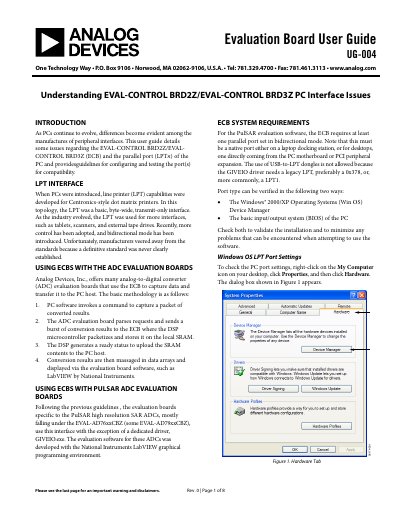
This user guide addresses compatibility issues between the EVAL-CONTROL BRD2Z and EVAL-CONTROL BRD3Z (ECB) evaluation boards and the parallel port (LPTn) of a PC. It provides guidelines for configuring and testing the port(s) to ensure proper operation with Analog Devices ADC evaluation boards, specifically those using PulSAR high resolution SAR ADCs.
The ECB requires at least one parallel port set in bidirectional mode, preferably ECP (Extended Capability Protocol) mode.
No, the use of USB-to-LPT dongles is not allowed because the GIVEIO driver needs a legacy LPT port.
A RAM test failure is not related to LPT port problems and can usually be corrected by returning the ECB for a replacement.