
This is a user manual for a hygrometer, which introduces the product's features and characteristics and how to use it.
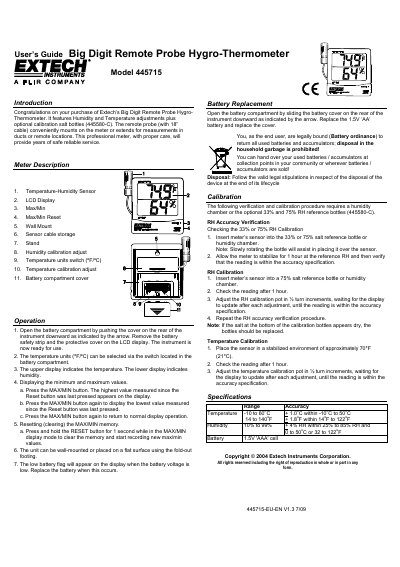
This document is the User's Guide for the Extech 445715 Big Digit Remote Probe Hygro-Thermometer. It introduces the instrument's features, including humidity and temperature adjustments, and describes the remote probe with an 18-inch cable suitable for mounting on the meter or extending for measurements in ducts or remote locations. The guide details the meter's physical components, such as the LCD display, Max/Min buttons, and calibration adjustment pots.
| Temperature Range | -10 to 60°C / 14 to 140°F |
|---|---|
| Humidity Range | 10% to 99% RH |
| Temperature Accuracy | +1.0°C within -10°C to 50°C |
| Humidity Accuracy | +4% RH within 25% to 85% RH |
| Battery Type | 1.5V 'AAA' cell |
| Remote Probe Cable Length | 18 inches |
The temperature units (ºF/ºC) can be selected via the switch located in the battery compartment.
Press and hold the RESET button for 1 second while in the MAX/MIN display mode to clear the memory.
Insert the sensor into a 75% salt reference bottle, check the reading after one hour, and adjust the RH calibration pot in ½ turn increments until the reading is within specification.