
This quick start guide introduces how to mount the lens of HDX series projector and provides some basic usage instructions, including the function description of the control panel buttons.
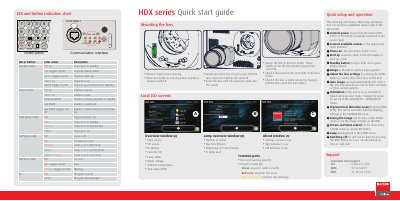
This document provides a quick overview of the Barco HDX series projector, including the function of the button panel and LED indicators. It details the mounting procedure for the lens and outlines the steps for quick setup and operation, such as connecting power and sources, and adjusting image settings.
| Power input | 200-240 V @ 50/60hz |
|---|---|
| Video input | Dual Link DVI-I HDCP |
| Video input | 3G/DUAL HDSDI |
| Video input | RGB HV/YUY HV 3G |
| Video input | Single DVI HDSDI |
| Video input | Composite video |
Press the STBY button for 3 seconds.
The projector requires 200-240 V at 50/60Hz.