
Key facts
- Manuals
- 16
- Models
- 2
- Categories
- 3
- Languages
- EN · ZH · JA
- Last added
- 2026-10-03
Barco models by category
Featured Barco manuals
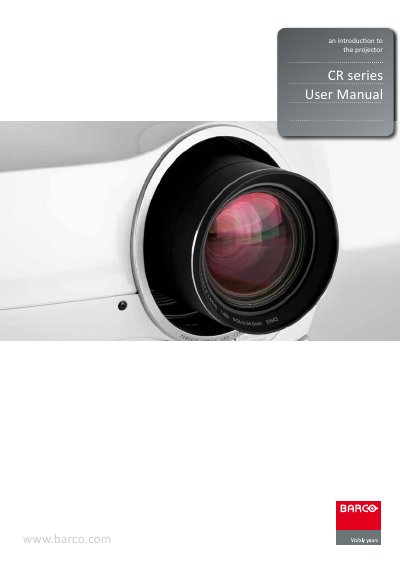
Barco CR Series Projector User Manual
This manual introduces the Barco CR Series projectors, covering safety warnings, unpacking, and an overview of the hardware, indicators, remote control, and connectivity options. Detailed sections guide users through basic setup such as lens installation, image alignment, lamp operation, and ceiling mounting, as well as advanced features like remote control ID (RCID) control of multiple units, dual‑lamp management, and custom colour space configuration.
Further chapters describe picture optimisation, calibration, maintenance procedures including lamp replacement and software upgrades, and provide full technical specifications. Safety instructions emphasize proper grounding, lamp handling, and environmental precautions, while the appendix lists regulatory compliance and warranty information.
Covers: Introduction · Safety Instructions · What's in the Box · Getting to Know the Projector · Basic Setup · Advanced Setup
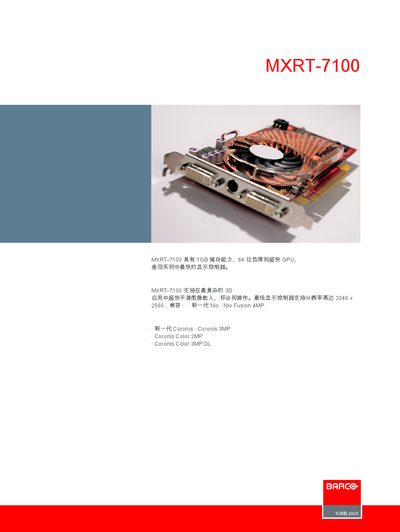
Barco MXRT-7100 Display Controller Manual
The MXRT-7100 is a high‑performance display controller with 1 GB of memory, 64‑bit color depth and a fast GPU. It supports the latest 4 MP and 3 MP camera series and can drive resolutions up to 2048 × 2560 at 50 Hz.
Technical details include PCI‑Express x16 interface, a 2.5 GHz clock, 16 lanes, 450 W power consumption, and compatibility with Windows 2000, XP and XP x64 on both Intel and AMD platforms. The unit operates from 0 °C to +55 °C and meets FCC, CE, BSMI, C‑Tick and UL standards. This manual is written in Chinese.
Covers: Technical Specifications · Supported Resolutions · Operating System Compatibility · Power Consumption · Environmental Conditions · Regulatory Compliance
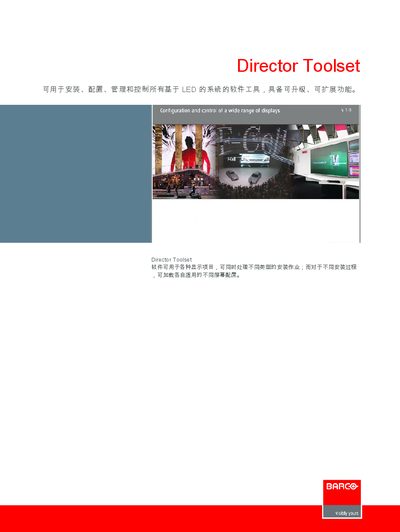
Barco Director Toolset Software Manual
The Director Toolset is a software suite for installing, configuring, managing and controlling LED‑based display systems. It supports a wide range of displays and allows loading of different screen configurations for various installation processes.
The manual lists the minimum and recommended hardware specifications, including processor speed, RAM, storage, display resolution, and required communication ports, as well as the supported operating systems (Windows, Linux, macOS). This manual is written in Chinese.
Covers: Director Toolset Overview · Installation and Configuration · Technical Specifications · System Requirements · Supported Operating Systems
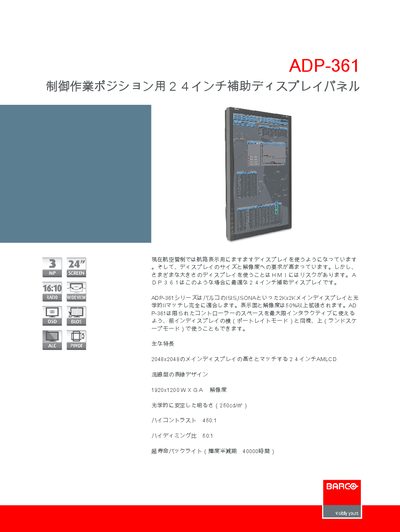
Barco ADP-361 Display Panel Product Leaflet
The ADP-361 auxiliary display panel is designed for control‑work positions, matching the size and resolution of larger main displays such as Barco ISIS and ISONA. It can be used in portrait or landscape mode and offers a sleek, streamlined bezel for multi‑display installations.
Technical specifications include a 24‑inch active‑matrix LCD, 1200 × 1920 pixel WXGA resolution, 250 cd/m² brightness, 1000:1 contrast, and a wide viewing angle of ±89°. The panel supports DVI and analog video inputs, RS‑232 control, and optional USB colour‑sensor calibration, while operating from 100‑240 VAC with a power consumption of up to 100 W. This manual is written in Japanese.
Covers: Main Features · Technical Specifications · Interface · Power · Environmental Conditions · Control
Latest Barco manuals
Barco CR Series Projector User Manual
User Manual 90 pages · 11.6 MB · ENThe Barco CR Series projector user manual provides setup, operation, safety, and maintenance instructions for CRPN‑52B, CRPN‑62B, CRWQ‑62B and CRWQ‑72B models.
BARCO R9001870/R9005010/R9841020 user manual
This document is the owner’s manual for BARCOPROJECTION CINE VERSUM SYSTEM R9001870 R9005010 R9841020
BARCO HDX series Installation manual
HDX series Installation manual
BARCO HDX series Quick start guide(1)
This quick start guide introduces how to mount the lens of HDX series projector and provides some basic usage instructions, including the function description of the control panel buttons.
BARCO HDX series Quick start guide
HDX series Quick start guide, introducing how to mount the lens, power on and off, and use projector buttons
Barco MXRT-7100 Display Controller Manual
User Manual 2 pages · 488 KB · ZHThe Barco MXRT-7100 display controller manual provides specifications, supported resolutions, OS compatibility, and hardware requirements.
Barco Director Toolset Software Manual
User Manual 2 pages · 357 KB · ZHThe Barco Director Toolset manual provides installation, configuration, and system requirements for managing LED display systems.
Barco ADP-361 Display Panel Product Leaflet
Product Leaflet 2 pages · 436 KB · JAThe Barco ADP-361 is a 24‑inch auxiliary display with 1920×1200 WXGA resolution, 250 cd/m² brightness and multiple video inputs.
Barco SIM5W Projector Product Leaflet
Product Leaflet 2 pages · 1.6 MB · JAThe Barco SIM5W projector product leaflet provides an overview of its WUXGA resolution, dual‑lamp system, connectivity options, and key specifications.
Barco Coronis 5MP User Manual
User Manual 2 pages · 520 KB · ZHThe Barco Coronis 5MP User Manual provides specifications and setup information for the high‑resolution 5‑megapixel medical display system.
Barco Coronis 5MP Diagnostic Display System Manual
User Manual 2 pages · 520 KB · ZHBarco Coronis 5MP diagnostic display system manual with specifications, dimensions, connectivity and warranty details.
BARCO SLM R12+ Performer SXGA+ 12 000 lumens three-chip DLP projector Manual
Barco ADP-361 User Manual
User Manual 2 pages · 436 KB · JAThe Barco ADP-361 user manual provides specifications, features, and operation instructions for the 24‑inch auxiliary display panel.
Barco iQ Pro R210L Projector Product Leaflet
Product Leaflet 3 pages · 501 KB · ENThe Barco iQ Pro R210L is a network‑centric LCD projector delivering 2,200 ANSI lumens, dual‑lamp reliability and extensive connectivity.
BARCO DICOM Theater Lite First-class performance in a compact design Manual
Which document do I need?
User Manual
Day-to-day operation, settings and troubleshooting. Start here if the product is already set up.
Questions answered in Barco manuals
How can multiple CR Series projectors be controlled together?
Multiple projectors can be linked using the remote control ID (RCID) feature, allowing a single remote to control several units simultaneously.
What is the maximum supported resolution of the MXRT-7100?
The MXRT-7100 supports a maximum resolution of 2048 × 2560 at 50 Hz.
Which operating systems are compatible with the MXRT-7100?
It is compatible with Windows 2000, Windows XP and Windows XP x64.
What are the minimum hardware requirements for Director Toolset?
The minimum requirements are a 2 GHz processor, 1 GB RAM, 300 MB of free disk space, XGA (1024×768) resolution, and serial and Ethernet ports.
Which operating systems are supported by Director Toolset?
Director Toolset runs on Windows XP, Vista, and 7, Linux, and macOS versions 10.4, 10.5, and 10.6.
What is the screen resolution of the Barco ADP-361?
The ADP-361 has a 1200 × 1920 pixel WXGA resolution (portrait orientation).