
This document introduces the Agilent 1200 Series LC Method Development Solution and Agilent Easy Access Software, which can be used to check reaction processes, find the best chromatography column and check impurities. The system supports up to 8 different columns. The superuser can define analysis methods for each installed column, including the appropriate balancing method. The superuser can also define projects for different user groups and individual users. Permission levels and priorities can be set for users and groups. For example, the highest priority can be given to reaction monitoring samples, so that these samples can be analyzed immediately. After the analysis is complete, the system can send the results to the relevant users by email.
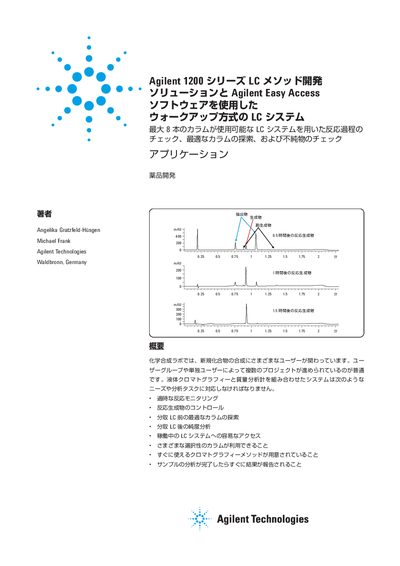
This application note details the Agilent 1200 Series LC Method Development Solution combined with Agilent Easy Access Software. It is designed for walk-up LC/MS systems where inexperienced users can analyze samples using pre-defined methods, while super-users manage the system and define analysis parameters. The solution supports up to eight columns and facilitates tasks such as reaction monitoring, product control, and purity analysis. This manual is written in Japanese.
| Maximum number of columns | 8 |
|---|---|
| Column length support | Up to 100 mm |
| Solvent switching capability | Up to 15 types |
| Heated zones | 4 independent |
| Compatible MS | Agilent 6140 Single Quadrupole MS |
| Software version | ChemStation B04.01 |
The system supports up to eight columns.
It allows users to input sample information, select methods, and receive email reports after analysis.
A super-user manages the system operation, defines methods, and sets permission levels for other users.