
SiriusXM TTR1 Tabletop Internet Radio Quick Start Guide


SiriusXM TTR1 Tabletop Internet Radio Quick Start Guide - cover page
Brand
SiriusXM
Category
Other Electronics
Document type
Quick Start Guide
Language
English
Pages
2
File format
PDF
File size
2.5 MB
Published
06 July, 2012
Updated
29 September, 2023
Model
TTR1
MD5 checksum
F6DB99B5350F231B8CEA0E14EE91C7FF

About this manual

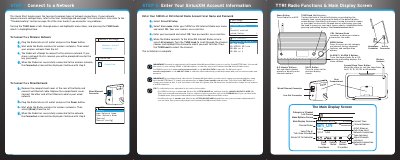
This Quick Start Guide provides instructions for setting up the SiriusXM TTR1 tabletop internet radio. It details the steps to connect the device to a network, either via a wireless connection or a wired Ethernet connection. The guide also explains how to enter your SiriusXM or XM Internet Radio account user name and password to access the service.

What's inside

  • Connect to a Wireless Network
  • Connect to a Wired Network
  • Enter Your SiriusXM Account Information
  • Radio Functions
  • Main Display Screen
  • Menu Options
  • Rear Compartment Connectors

Frequently asked questions

What subscription is required to use the SiriusXM TTR1 Radio?

You must be subscribed to the Premium SiriusXM Internet Radio service.

How long can the sleep timer be set for?

The sleep timer can be set for 5, 10, 15, 30, 45, or 60 minutes.

What is the minimum and maximum length allowed for a user name?

The user name must be between 6 and 20 characters long.

Download PDF (2.5 MB)

More SiriusXM Manuals


View all SiriusXM manuals →