
Key facts
- Brand
- SiriusXM
- Model
- TTR1
- Industry
- Electronics
- Documents
- 2
- Languages
- EN
- Last added
- 2012-07-06
Start here
SiriusXM TTR1 Tabletop Internet Radio Quick Start Guide
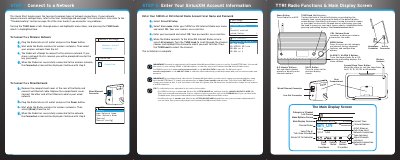
This Quick Start Guide provides instructions for setting up the SiriusXM TTR1 tabletop internet radio. It details the steps to connect the device to a network, either via a wireless connection or a wired Ethernet connection. The guide also explains how to enter your SiriusXM or XM Internet Radio account user name and password to access the service.
Read onlineAll SiriusXM TTR1 documents by type
The shortest path to a working setup, usually only a few pages.
Day-to-day operation, settings and troubleshooting. Start here if the product is already set up.
Questions answered in these manuals
What are the maximum and minimum temperatures for storing or using this radio?
Do not expose the device to extreme temperatures above 140°F (60°C) or below -4°F (-20°C).
What cleaning method is recommended for the device surface?
You should clean the device with a soft damp cloth only.
What subscription is required to use the SiriusXM TTR1 Radio?
You must be subscribed to the Premium SiriusXM Internet Radio service.
From: SiriusXM TTR1 Tabletop Internet Radio Quick Start Guide
How long can the sleep timer be set for?
The sleep timer can be set for 5, 10, 15, 30, 45, or 60 minutes.
From: SiriusXM TTR1 Tabletop Internet Radio Quick Start Guide