
This document is the Bearcat BC-RH96 Remote Head User Manual, which introduces the remote head's features and usage methods.
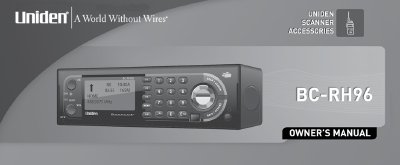
The Uniden BC-RH96 Remote Head is an accessory designed to control the functions of compatible Uniden mobile or handy scanners, such as the BCD396T, BR330T, BCT15, and BCD996T. It features a large LCD display with adjustable backlight and contrast, three assignable shortcut keys, and volume and squelch controls that emulate the scanner's interface. The device recognizes the scanner's baud rate for reliable communication and emulates Close Call and Alert LED signals.
This guide covers the complete setup process, including mounting the unit using the supplied bracket or hook and loop material, connecting the remote control and DC power cables, and configuring the device for specific scanner models. It also details operational procedures such as setting the backlight, adjusting LCD contrast, assigning keys, and resetting the unit to factory defaults.
| Weight | 0.7 pounds (Remote Head only) |
|---|---|
| Input Voltage | 13.8 Vdc (11.0 - 16.6 Vdc) |
| Current Drain (In Use) | 106 mA (backlight high) |
The BC-RH96 is compatible with the Uniden BCD396T, BR330T, BCT15, or BCD996T scanners.
No, the BC-RH96 cannot turn the scanner's power on or off.
With the unit off, press and hold keys [2], [9], and [HOLD] simultaneously while turning on the power.