
This document is the installation guide for Xerox Mobile Scanner, which introduces the features and usage of the scanner. The scanner supports scanning color and black and white images, and can be charged by connecting the USB cable. In addition, this document also includes the steps for unpacking and assembling the scanner.
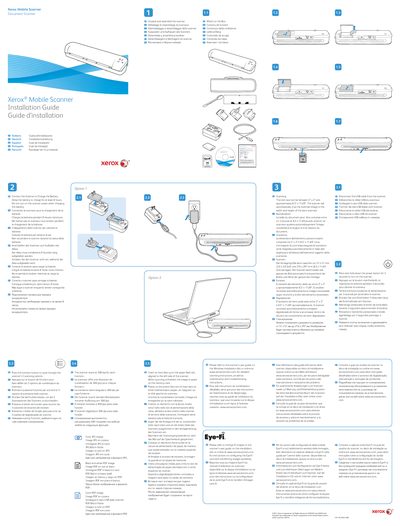
The document serves as an installation guide for the Xerox Mobile Scanner. It outlines initial setup procedures such as connecting the scanner to charge the battery for at least 8 hours without powering it on during this process.
The guide details how to unpack the device, identify contents in the box, and configure scanning options via a function button. Supported scan types include Color JPG, Black and white PDF, and Color PDF images. It also specifies document size limits (2x2 inches to 8.5x11.69 inches) and explains how to insert items into the paper feed slot.
| Scan Resolution | 300 dpi |
|---|
Allow the battery to charge for at least 8 hours.
No, do not turn on the scanner power when charging the battery.