
Ideal 33-856 VDV MultiMedia Cable Tester Operating Instructions

1 #33-856 VDV MultiMedia Cable Tester OPERATING INSTRUCTIONS, this instruction manual introduces how to use this product to test audio, video and data cables.
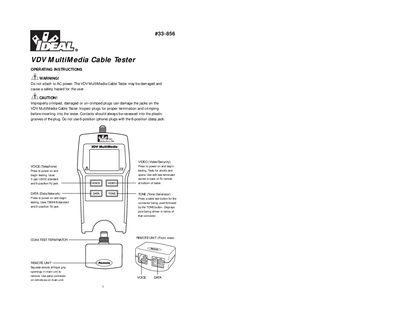

Ideal 33-856 VDV MultiMedia Cable Tester Operating Instructions - cover page
Brand
IDEAL
Document type
User Manual
Language
English
Pages
61
File format
PDF
File size
1.4 MB
Published
04 July, 2012
Updated
30 September, 2023
MD5 checksum
25EFFE8FFE37678DC82E4297B27472C0

About this manual

The Ideal 33-856 VDV MultiMedia Cable Tester is designed to test all common low voltage cabling systems found in automated homes, including voice (telephone), data network, and video/security coaxial cables. The device features a large seven-segment LCD with icons for clear results and displays cable test results in wire map format.

What's inside

  • Features
  • Cable Testing
  • Voice Cable Test Mode
  • Data Cable Test Mode
  • Video Coax Cable Test Mode
  • Tone Generator
  • Remote Unit

Frequently asked questions

What happens if voltage is present on the jacks during a test?

The tester displays a 'Volts!' icon and stops testing until the voltage is removed.

How long does it take for the tone to turn off automatically?

The tone turns off automatically after about 2.4 hours.

When does the cable tester power off automatically in testing modes?

It powers off automatically 9 minutes after the last button press in cable testing modes.

Download PDF (1.4 MB)

More IDEAL Manuals


View all IDEAL manuals →