
This document introduces how to use the Evolution UC16 device, including installing the software package and connecting to the computer's USB port.
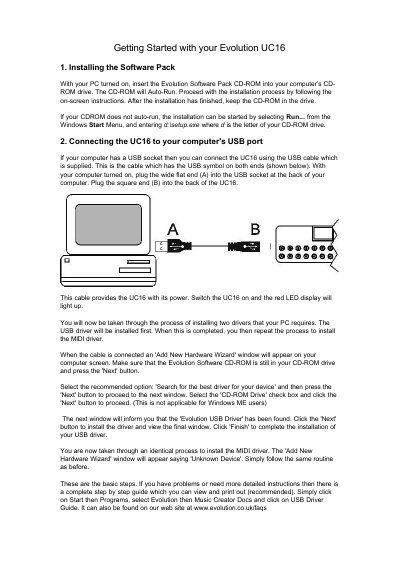
This document serves as a getting started guide for the Evolution UC16 MIDI controller. It provides step-by-step instructions on installing the required software pack from the CD-ROM and connecting the device to a computer via USB or an external power supply for MIDI hardware integration.
The guide also covers basic operation features, including saving settings to 25 memory banks, assigning values to 16 assignable rotary control knobs, and configuring MIDI transmit channels. It includes troubleshooting tips for Sound Studio II software recognition and lists standard MIDI controller numbers in the appendix.
| Total Memory Banks | 25 memory banks in total |
|---|---|
| Assignable Controllers | 16 assignable controllers |
| External Power Supply Requirement | 9-12V DC, 250mA |
Insert the Evolution Software Pack CD-ROM and follow on-screen instructions. If it does not auto-run, select Run... from the Windows Start Menu and enter d:\setup.exe.
Yes, you can use a standard MIDI cable. If not using the USB port, an external power supply of 9-12V DC is required.
Press CONTROL SELECT and move the knob or type a number. Then press CONTROL ASSIGN to store the assignment.