
Key facts
- Manuals
- 3
- Languages
- EN
- Last added
- 2012-07-04
Featured Getting manuals
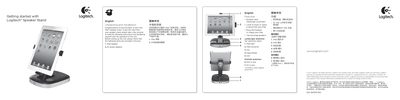
Logitech iPad Speaker Stand Quick Start Guide
The guide begins with unpacking instructions, confirming that the box contains the iPad speaker, AC power adaptor, and required cables. It then describes the rotation dock that supports both landscape and portrait orientations, and highlights the built‑in full‑range speakers and charging capability.
Subsequent sections cover positioning the iPad using the 30‑pin connector and bracket, powering the unit on and off with the POWER button, adjusting volume with the +/- buttons, and using the AUX 3.5 mm jack to connect non‑docking iPods or other audio devices. The iPad continues to charge even when the speaker is turned off, as long as it remains plugged in.
Covers: Unpacking and Installation · Features · Positioning your iPad · Listening to your iPad · Using non‑docking audio devices
Latest Getting manuals
Getting Started with your Evolution UC16
This document introduces how to use the Evolution UC16 device, including installing the software package and connecting to the computer's USB port.
Getting Started with VMware Fusion VMware Fusion for Mac OS X
VMware Fusion is a software for Mac users that allows them to run their favorite PC applications on their Intel-based Mac. It utilizes virtual machine technology to run Windows and other x86 operating systems side-by-side with Mac OS X, providing security, flexibility, and portability.
Logitech iPad Speaker Stand Quick Start Guide
Quick Start Guide 2 pages · 1.2 MB · ENThis quick start guide explains how to unpack, set up, and operate the Logitech iPad Speaker Stand, including charging and audio connections.
Which document do I need?
Quick Start Guide
The shortest path to a working setup, usually only a few pages.
Questions answered in Getting manuals
Can the iPad charge while the stand is turned off?
Yes, the iPad will continue charging as long as the stand is plugged in, even if the POWER button is off.
How do I connect a non‑docking iPod or other audio device?
Plug a 3.5 mm audio cable from the device’s headphone or line‑out jack into the stand’s AUX jack on the back.