
This document is a user manual for Logitech Speaker Stand, which describes the features and characteristics of the product, such as rotation dock, landscape or portrait mode, listening to music or watching movies from iPad, and the ability to charge the iPad.
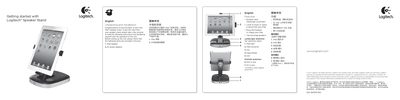
The guide begins with unpacking instructions, confirming that the box contains the iPad speaker, AC power adaptor, and required cables. It then describes the rotation dock that supports both landscape and portrait orientations, and highlights the built‑in full‑range speakers and charging capability.
Subsequent sections cover positioning the iPad using the 30‑pin connector and bracket, powering the unit on and off with the POWER button, adjusting volume with the +/- buttons, and using the AUX 3.5 mm jack to connect non‑docking iPods or other audio devices. The iPad continues to charge even when the speaker is turned off, as long as it remains plugged in.
| Connector type | 30‑pin connector |
|---|---|
| Speakers | Two full‑range speakers |
| Power input | AC power adaptor |
| Audio input | 3.5 mm AUX jack |
Yes, the iPad will continue charging as long as the stand is plugged in, even if the POWER button is off.
Plug a 3.5 mm audio cable from the device’s headphone or line‑out jack into the stand’s AUX jack on the back.