
This document describes the preset setups and usage of the M-Audio Oxygen keyboard controller. The keyboard controller comes with 10 preset setups that allow users to use the keyboard with supported software. Preset 10 is specifically designed for Ableton Live software, and users can create their own MIDI controller assignments using the software's MIDI Learn function. The document also provides instructions and settings for using the Oxygen keyboard with Ableton Live software.
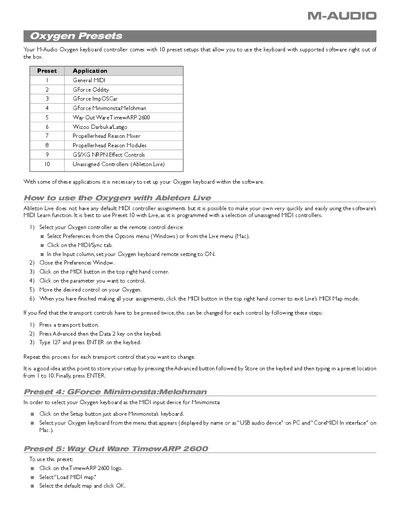
The document provides a list of preset setups included with the M-Audio Oxygen keyboard controller. These presets are designed to allow immediate compatibility with various supported music production software applications right out of the box.
Detailed instructions are provided for configuring specific presets within different host environments. The guide covers setup procedures for Ableton Live, GForce plugins (Oddity, ImpOSCar, Minimonsta:Melohman), Propellerhead Reason modules, and Wizoo VST/AU/RTAS plug-ins.
It is best to use Preset |0 with Live, as it is programmed with a selection of unassigned MIDI controllers.
Select your Oxygen keyboard as the Bus A device in the Preferences dialog under Advanced MIDI.