
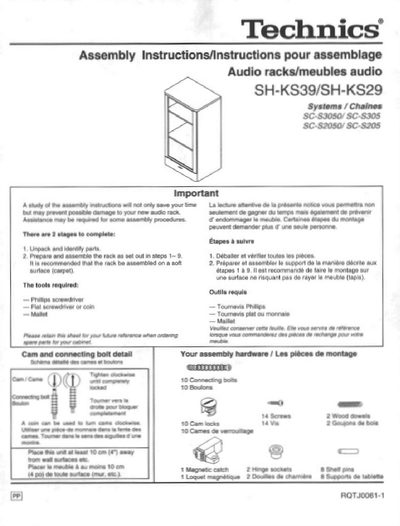
Technics SH-KS39/SH-KS29 Audio Rack Assembly Instructions


Technics SH-KS39/SH-KS29 Audio Rack Assembly Instructions - cover page
Brand
Technics
Document type
User Manual
Language
English
Pages
4
File format
PDF
File size
381 KB
Published
03 July, 2012
Updated
26 July, 2012
MD5 checksum
BD73DFDE64BF9899C90EB51EED56CF0C

About this manual

This document provides assembly instructions for the Technics SH-KS39 and SH-KS29 audio racks. It details the required tools, lists all included hardware components such as cam locks and connecting bolts, and outlines a two-stage process: unpacking parts and assembling the rack on a soft surface to prevent damage.

The guide covers the step-by-step construction of the unit, including attaching the bottom rail, side panels, top panel, rear panels, shelves, and glass door. It also includes specific instructions for installing the recommended audio components listed in the compatibility chart.

What's inside

  • Unpack and identify parts
  • Prepare and assemble rack
  • Install bottom rail and cam locks
  • Attach side panels
  • Assemble top panel and lid
  • Install rear panels
  • Insert shelf pins and shelves
  • Mount glass door
  • Recommended component placement

Specifications

Dimensions (SH-KS39)535.5 x 980 x 394.5 mm

Frequently asked questions

What tools are required for assembly?

A Phillips screwdriver, a flat screwdriver or coin, and a mallet.

What should be done with the rear panels after assembly?

The rear panels should not be discarded as they are important for the rack stability.

Download PDF (381 KB)

More Technics Manuals


View all Technics manuals →