
This document is an easy setup guide that introduces the setting steps of the VQC7591 F1209RE0 sound system, including preparing speakers, placing speakers, connecting cables, and turning on the main unit. It also provides labels and connection instructions for the speakers.
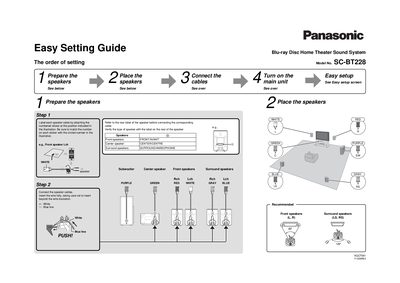
The document serves as an easy setup guide for the Panasonic SC-BT228 Blu-ray Disc Home Theater Sound System. It outlines the initial steps required to prepare the installation environment, including labeling speaker cables and positioning the speakers correctly in front of and around the listening area.
Subsequent sections detail how to connect various audio and video components, such as HDMI, optical digital audio, and AC power cords. The guide concludes with instructions for turning on the main unit and TV to initiate the on-screen Easy Setup wizard.
| Product Type | Blu-ray Disc Home Theater Sound System |
|---|---|
| Model Number | SC-BT228 |
Use an HDMI cable, as it is recommended for the highest quality picture.
The model number is SC-BT228.
The unit requires 120 V at 60 Hz.