
This document is an easy setup guide that explains the steps to prepare speakers, place speakers, connect cables, and turn on the main unit. It also provides labels and connection methods for the speakers.
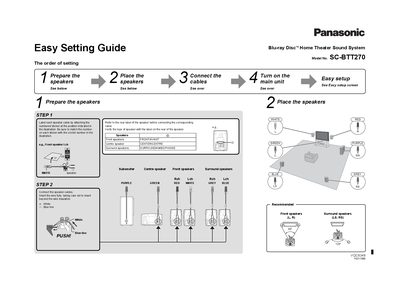
This document is an Easy Setting Guide for the Panasonic SC-BTT270 Blu-ray Disc Home Theater Sound System. It outlines the initial setup process, starting with preparing and labeling speaker cables to match the correct speakers (Front, Centre, Surround, Subwoofer). The guide details how to connect these cables to the main unit and the speakers themselves, ensuring correct polarity and color coding.
| Product Type | Blu-ray Disc Home Theater Sound System |
|---|---|
| Model Number | SC-BTT270 |
An HDMI cable is recommended for the highest quality picture and to play back 3D videos and still pictures.
Label each speaker cable by attaching the numbered sticker at the position indicated in the illustration and match the number on the sticker with the circled number.
Use category 5 or above straight LAN cables (STP) when connecting to peripheral devices.