
This document describes how to connect the Yamaha YHT-292 Digital Home Theater System. The system includes everything you need to add great sound to your home theater.
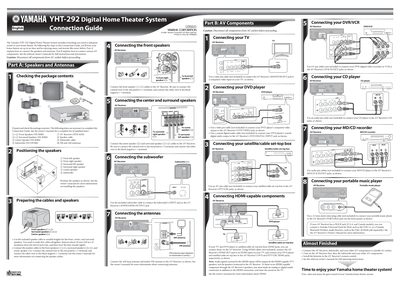
This document serves as a connection guide for the Yamaha YHT-292 Digital Home Theater System. It provides instructions on positioning speakers (Front Left/Right, Surround Left/Right, Center, Subwoofer) and connecting them to an AV Receiver using speaker cables.
The guide also covers how to connect various external components such as TVs, DVD players, satellite/cable set-top boxes, DVRs/VCRs, CD players, MD/CD recorders, portable music players, and antennas (FM/AM) to the system.
The system includes Front Speakers (NS-B280), Surround Speakers (NS-B280), Center Speaker (NS-B280), Subwoofer (NS-SW280), speaker cables, and FM/AM antennas.
Use the included subwoofer cable to connect the Subwoofer's INPUT jack to the AV Receiver's SUBWOOFER OUTPUT jack.
Position the Front Left, Front Right, Surround Left, Surround Right, Center, and Subwoofer speakers as shown in the diagram.