
DMC1000 Project Manager V4.0 ST Auto-Transport and Automation Guide


DMC1000 Project Manager V4.0 ST Auto-Transport and Automation Guide - cover page
Brand
DMC1000
Document type
User Manual
Language
English
Pages
25
File format
PDF
File size
8.6 MB
Published
12 June, 2012
Updated
12 June, 2012
Model
DMC1000
MD5 checksum
6650D11C5900D1EF63DAEF1E842555E8

About this manual

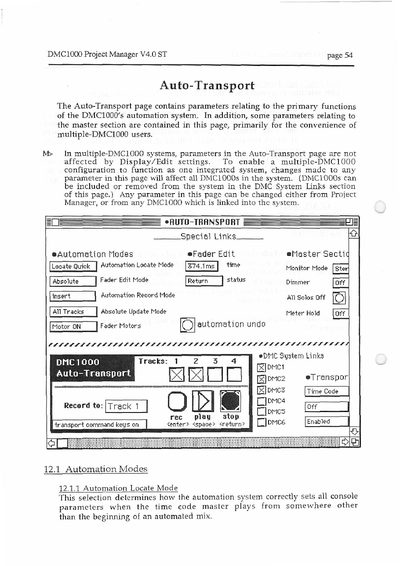
The document details the 'Auto-Transport' section of the DMC1000 Project Manager software. This area manages primary functions of the automation system, including parameters that affect multiple linked DMC1000 units in a single integrated system.

Key topics covered include Automation Modes (Locate Quick/Full, Fader Edit Absolute/Relative), Record modes (Replace/Insert), and Master Section controls like Monitor Mode and Dimmer. The guide also explains how to link up to six DMC1000s via System Links and configure Transport Modes such as Internal Clock, MIDI Clocks, or Time Code synchronization.

What's inside

  • Automation Locate Mode
  • Automation Fader Edit Mode
  • Automation Record Mode
  • Absolute Update Mode
  • Fader Motors
  • DMC System Links
  • Transport Modes
  • Auto Punch In/Out

Frequently asked questions

How many DMC1000 units can be linked in a system?

Up to six DMC1000s can be linked by selecting them in the System Links section.

What is the difference between Locate Quick and Locate Full modes?

Locate Quick calculates status from recent Scene Memory recall data, while Locate Full processes automation data sequentially from the beginning of the mix.

How do I stop the automation system playback?

You can stop playback by pressing the Mac's key, clicking the stop button, or using the [STOP] button in the DMC1000's Automation section.

Download PDF (8.6 MB)

More DMC1000 Manuals


View all DMC1000 manuals →