
Yamaha PSR-S910/S710 Digital Workstation Owner's Manual

This is a PDF file that mainly introduces the function description of PSR-S910, including Voice List, Mega Voice Map, Drum/key Assignment List, Style List, Multi Pad Bank List, Direct Access Chart, Chord Types Recognized in the Fingered Mode, Effect Type List, Effect Parameter List, Effect Data Assign Table, Vocal Harmony Type List, Parameter Chart, MIDI Data Format, Song System Exclusive Message List.
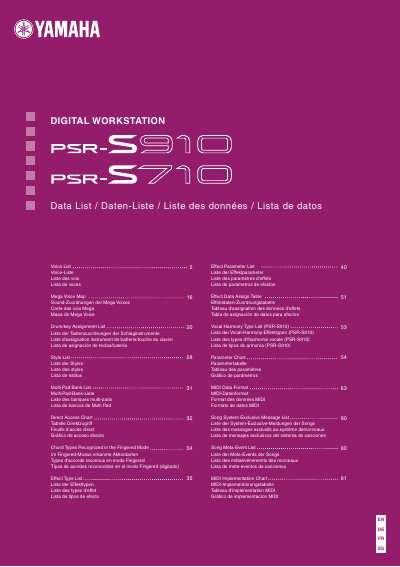

Yamaha PSR-S910/S710 Digital Workstation Owner's Manual - cover page
Brand
YAMAH
Document type
User Manual
Language
English
Pages
112
File format
PDF
File size
3.8 MB
Published
12 June, 2012
Updated
30 September, 2023
Models
PSR-S910, S710
MD5 checksum
FD5EA60EF667C0D4A06BCFA71CBADC70

About this manual

The Yamaha PSR-S910 and PSR-S710 are digital workstations designed to offer a wide variety of realistic piano voices and authentic instrument sounds. The instrument allows users to play along with backing bands using various styles such as pop, jazz, and Latin, or perform solo pieces while the auto accompaniment handles the background music.

What's inside

  • Welcome to Digital Workstation
  • Exploring Demos
  • Performing Along with Backing Band
  • Playing Along with Song Data
  • Displaying Music Score
  • Recording Your Performance
  • Audio Playing and Recording from USB Flash Memory
  • Connecting Directly to the Internet
  • Adding Vocal Backing (PSR-S910)
  • Connections

Frequently asked questions

What file formats are supported for audio playback on USB?

The instrument can play back audio files in WAV or MP3 format stored on a USB flash memory device.

Does the PSR-S710 support MP3 playback?

No, the MP3 format is supported only by the PSR-S910 model.

Download PDF (3.8 MB)

More YAMAH Manuals


View all YAMAH manuals →