
This document provides detailed information about the various features of a piano, including reverb type, touch reverb depth, dual octave setting, voices (including dual voices), and dual balance.
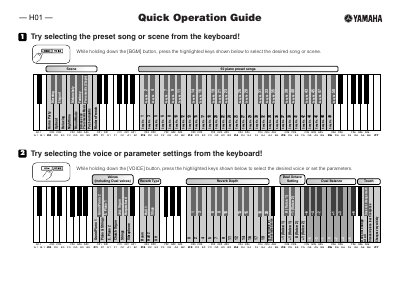
This document serves as a quick operation guide for the Yamaha H01 keyboard. It provides instructions on selecting preset songs and scenes, as well as choosing specific voices and parameter settings like Dual Cctave and Reverb Type by using the keyboard keys while holding the [VOICE] button.
The guide also details how to fine-tune the instrument's pitch in approximately 1-cent steps and how to adjust the transpose setting or playing track. These adjustments are made by simultaneously holding down the [BGM] and [VOICE] buttons and pressing specific highlighted keys.
The keyboard includes 50 piano preset songs.
One step adjusts the pitch in about 1 cent.
100 cents equals 1 semitone.