
This document describes the functions of the front panel screen and controls of the 979 model, including leak rate display, pressure display, volume control, sniffer on/off, vent, test/hold, zero, read standard leak, calibrate, and key switch.
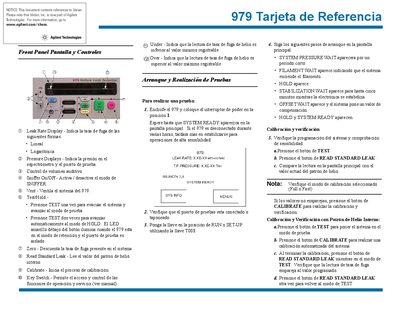
This document serves as a quick reference guide for the Agilent 979 leak detector. It details how to operate the device, including activating the Sniffer mode, using the Vent function, and performing manual or automatic calibrations with internal or external helium standards.
The guide also explains procedures for production testing setups, specifically configuring the Auto Sequencer for automated evacuation and testing cycles, as well as setting up range limits and test parameters. This manual is written in Spanish.
Press and hold the Sniffer button to activate or deactivate the Sniffer mode.
Pressing TEST once evacuates the system for testing; pressing it twice automatically advances to HOLD mode.