
This document is a quick start guide for Agilent Technologies' VWorks software, providing an overview of the workflow, including adding devices, creating protocols, adding tasks, and executing protocols.
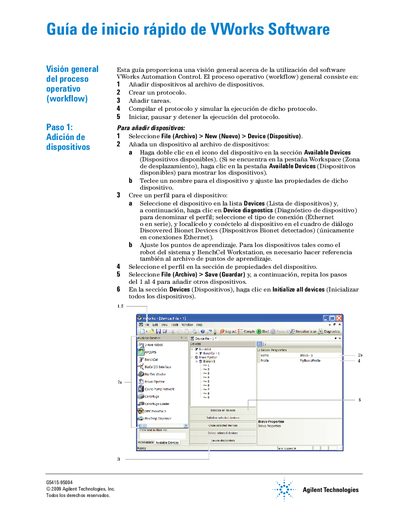
This document is a Spanish quick start guide for the Agilent VWorks Automation Control software. It provides an overview of the operational workflow, which includes adding devices, creating protocols, and managing tasks within the system.
The guide details specific procedures such as adding devices via the File menu, configuring device profiles with connection types like Ethernet or serial, and setting up learning points for robotic systems. It further explains how to create a protocol by defining process parameters, labware locations, and task sequences. This manual is written in Spanish.
The workflow consists of adding devices to the device file, creating a protocol, adding tasks, compiling and simulating execution, and starting or stopping the protocol.
Select File > New > Device, then double-click the device icon in Available Devices and set its properties.
You can select Ethernet or serial connection types when creating a device profile.