
The document describes the features and characteristics of a product, including its design, functionality, and technical specifications.
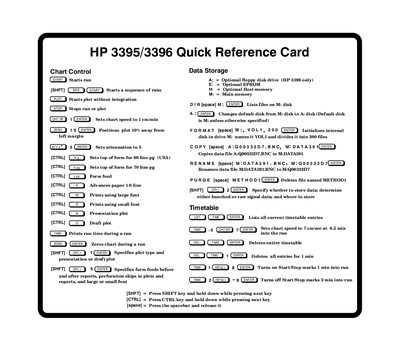
This quick reference card provides keyboard shortcuts and commands for operating the HP 3395/3396 instruments, including chart control, data storage, calibration, integration, and application programs. It covers methods, sequences, external events, and report generation. The card also includes instructions for using bar-coded methods, autoscheduler, and dual-channel applications. Commands are organized by function with key combinations for quick access.
Press [SHFT] to start a sequence of runs.
Use the COPY command followed by the source and destination disk names.
Use the RENAME command followed by the old and new file names.
Use the PURGE command followed by the file name.