
ASRock UEFI Setup Utility User Manual

UEFI SETUP UTILITY is the BIOS setup program of ASRock motherboard. The program allows users to set the system time, date, advanced UEFI features, hardware monitor, boot, security, etc.
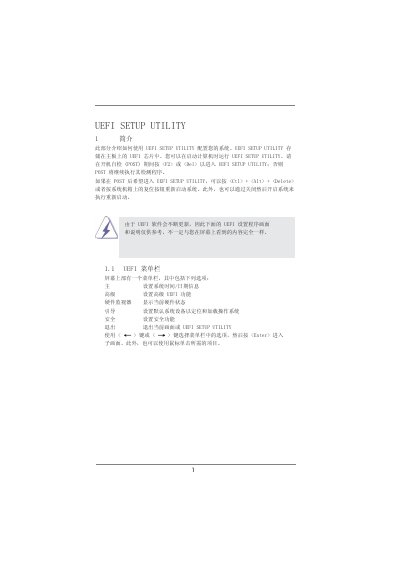

ASRock UEFI Setup Utility User Manual - cover page
Brand
UEFI
Category
Board
Document type
User Manual
Language
Chinese
Pages
20
File format
PDF
File size
454 KB
Published
04 June, 2012
Updated
01 October, 2023
MD5 checksum
A81C64FE13F1A6411DF8AA190A17D798

About this manual

The guide introduces the UEFI Setup Utility stored in the motherboard's UEFI chip and describes how to launch it by pressing or during POST, or using other key combinations. It covers the layout of the menu bar, navigation keys, and the main screen that shows system overview.

Detailed sections explain advanced configuration options such as CPU, DRAM, Northbridge, and hardware monitoring settings, as well as boot, security, and exit screens. The document also describes the ASRock Instant Flash tool for updating firmware without an operating system. This manual is written in Chinese.

What's inside

  • Introduction
  • UEFI Menu Bar
  • Navigation Keys
  • Main Screen
  • Advanced Settings
  • CPU Configuration
  • DRAM Configuration
  • Hardware Health Monitoring
  • Boot Screen
  • Security Screen

Frequently asked questions

How do I enter the UEFI Setup Utility on an ASRock motherboard?

Press or during the POST process, or use ++ after POST, or reset the system.

Which key loads the default UEFI settings?

Press to load all default settings.

How can I save changes and exit the UEFI Setup Utility?

Press to save changes and exit.

What tool does ASRock provide to update the UEFI firmware without an OS?

The ASRock Instant Flash utility, which updates UEFI from a USB flash drive or hard disk.

Download PDF (454 KB)

More UEFI Manuals


View all UEFI manuals →