
This document is a warranty instruction manual for BL 983317-0 and BL 983317-1 panel-mounted EC indicators and controllers. The products feature a measurement range of 0.00 to 10.00 mS/cm, a resolution of 0.01 mS/cm, an accuracy of ±2% f.s., automatic temperature compensation from 5 to 50°C, manual calibration, and a dosing contact with a maximum of 2A.
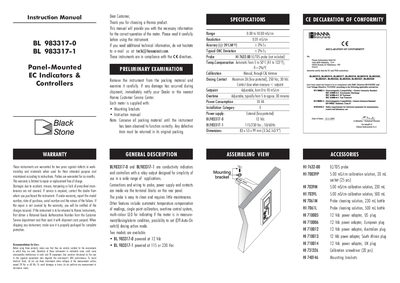
The BL983317-0 and BL983317-1 are panel‑mounted conductivity indicators and controllers with relay outputs, designed for simple use in a wide range of applications. They feature automatic temperature compensation, single‑point calibration, overtime control, and a multi‑colour LED status indicator.
This manual covers safety and warranty information, unpacking, wiring and terminal connections, front‑panel functions, operation procedures, calibration steps, setpoint adjustment, overtime dosing control, and probe maintenance. It also lists accessories, power‑supply options, and technical specifications.
| Measurement Range | 0.00 to 10.00 mS/cm |
|---|---|
| Resolution | 0.01 mS/cm |
| Temperature Compensation | Automatic 5‑50 °C (41‑122 °F) |
| Power Consumption | 10 VA |
| Dosing Contact Max Current | 2 A, 250 Vac, 30 Vdc |
| Setpoint Range | 0 to 10 mS/cm |
| Overtime Adjustable | 5 to approx. 30 minutes |
| Dimensions | 83 × 53 × 99 mm |
The BL983317-0 model is powered by a 12 V dc external adapter.
Immerse the probe in a 5.00 mS/cm calibration solution, wait for the reading to stabilize, and adjust the CAL trimmer until the LCD reads 5.00 mS.
Green means measurement mode, orange/yellow indicates dosing in progress, and blinking red signals an alarm condition.