
This is an instruction manual for installing a motherboard. It introduces the function and appearance of the motherboard, as well as how to connect external devices.
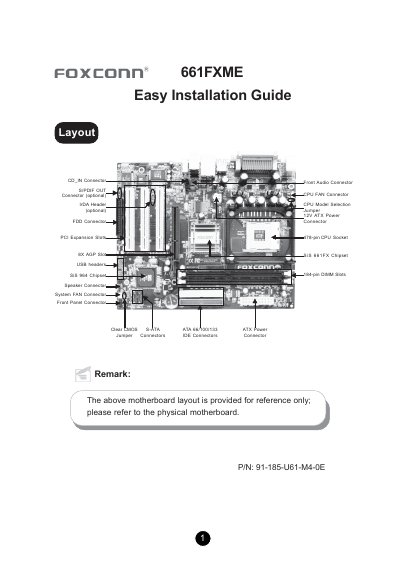
This guide walks you through the installation of the Foxconn 661FXME motherboard, covering package contents, CPU and memory support, connector layouts, and jumper configurations. Detailed diagrams of the rear panel, front panel, and internal headers help you connect peripherals correctly.
The manual also explains how to clear the CMOS, set up the BIOS, and install drivers from the supplied Utility CD, ensuring the system boots and runs with optimal defaults. This manual is written in Chinese.
| DIMM slots | Two 184‑pin DIMM slots |
|---|---|
| Memory type | Single‑channel DDR up to 400 MHz |
| Maximum memory | 2.0 GB |
| Serial ATA transfer rate | Up to 150 MB/s |
| Audio codec | ALC655 (6‑channel audio) |
| Rear USB ports | Four USB 2.0 ports |
| Additional USB headers | Two 10‑pin headers for front‑panel USB |
Turn off AC power, connect pins 1 and 2 together with the jumper cap, then return the jumper to pins 2 and 3 and power the system back on.
The board can handle up to 2.0 GB of unbuffered non‑ECC DDR memory.
There are four USB 2.0 ports on the rear panel.