
The D-Link Wireless G Starter Kit is a set of devices to create a home wireless network. It includes a Wireless G Router and a Wireless USB Adapter. The router can connect to a broadband modem and wirelessly share your high-speed internet connection. The adapter can be plugged into a laptop or desktop PC so that you can surf the web, check e-mail, and chat with family and friends online. The kit also includes a firewall to protect your network from hackers and other unwanted intruders.
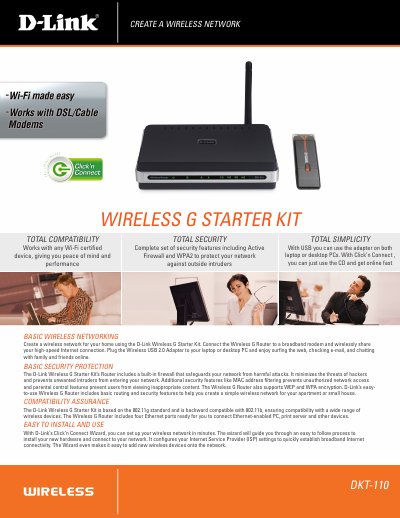
The DKT-110 Wireless G Starter Kit includes a DIR-301 Wireless G Router and a DWA-111 USB 2.0 Adapter, allowing you to create a simple home wireless network. The kit offers built‑in firewall, WPA2 encryption, MAC filtering, and parental controls to protect your network.
Installation is guided by D‑Link’s Click’n Connect Wizard, which walks you through connecting the router to your broadband modem, plugging in the USB adapter, and configuring ISP settings. The manual also lists detailed technical specifications, wireless signal rates, and device management options.
| Wireless Standard | IEEE 802.11g |
|---|---|
| Wireless Frequency Range | 2.4 GHz to 2.462 GHz |
| Transmit Power (DIR‑301) | 15 dBm ± 2 dBm |
| Antenna (DIR‑301) | Detachable Dipole Antenna (Reverse SMA Plug) |
| Dimensions (DIR‑301) | 112.6 × 147.5 × 31.8 mm |
| Weight (DIR‑301) | 246 g |
Use D‑Link’s Click’n Connect Wizard: connect the router to your broadband modem, plug the USB adapter into a PC, and follow the wizard to configure ISP settings and add wireless devices.
The kit provides an active firewall, WPA2 encryption, MAC address filtering, parental controls, and support for WEP and WPA encryption.
A cable or DSL modem with Ethernet port and a computer running Windows XP SP2, Windows 2000 SP4, Mac OS X 10.3/10.4, or a Linux‑based OS with an Ethernet adapter and a modern web browser.