
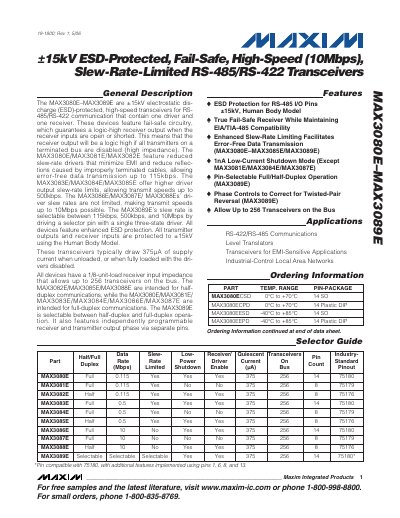
The MAX3080E–MAX3089E family are ±15 kV electrostatic‑discharge‑protected transceivers for RS‑485/RS‑422 communication. They feature fail‑safe receivers, selectable full‑ or half‑duplex operation, and slew‑rate limiting that reduces EMI and reflections. Different device variants support data rates of 115 kbps, 500 kbps, or 10 Mbps.
Electrical specifications include a typical supply current of 375 µA (unloaded), a 1/8‑unit‑load receiver input impedance allowing up to 256 devices on a bus, and operating temperature ranges from –40 °C to +85 °C depending on package. The devices are pin‑compatible with the 75180 series and are offered in various SO, DIP, and plastic packages.
| Maximum Data Rate (MAX3089E) | 10 Mbps (selectable) |
|---|---|
| ESD Protection | ±15 kV (Human Body Model) |
| Supply Current (unloaded) | 375 µA typical |
| Receiver Input Impedance | 1/8‑unit‑load (96 kΩ), up to 256 devices on bus |
The MAX3089E can operate at up to 10 Mbps, selectable via the slew‑rate selector pin.
The devices support up to 256 transceivers on the bus thanks to their 1/8‑unit‑load receiver input impedance.
Each I/O pin is protected to ±15 kV using the Human Body Model.