
This is a user manual for Canon FinePix S5 Pro camera
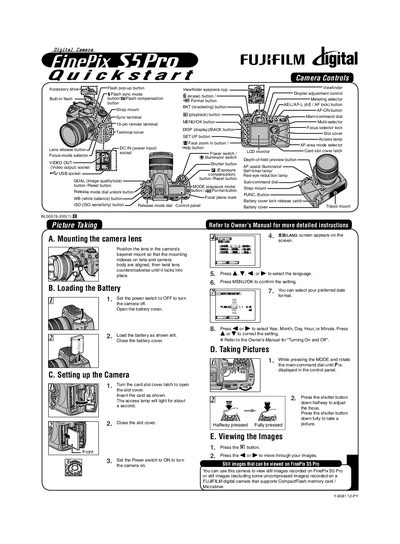
This manual covers the basic setup of the FinePix S5 Pro, including loading the battery, inserting a CompactFlash or Microdrive card, and configuring basic camera settings such as language, date, and exposure mode. It also explains how to take pictures, view images on the camera, and use features like bracketing and flash sync.
The second part details connecting the camera to a PC, installing the supplied FinePix Viewer software, transferring images, and saving them to your computer. Step‑by‑step instructions are provided for Windows and Macintosh environments, along with troubleshooting tips for successful image transfer.
Set the power switch to OFF, open the battery cover, insert the battery as shown, then close the battery cover.
Press the playback button (EB) and use the < or > buttons to scroll through the images displayed on the LCD monitor.