
The Toshiba Satellite Pro L40 is a stylish and practical notebook for professionals and small to medium sized companies looking for the assurance of Toshiba quality at an exceptional price. It is powered by Intel processing power, has a 15.4-inch widescreen display, and runs today's demanding business applications while providing effortless connectivity. It also has many features that enhance working productivity and offer a carefree computing experience.
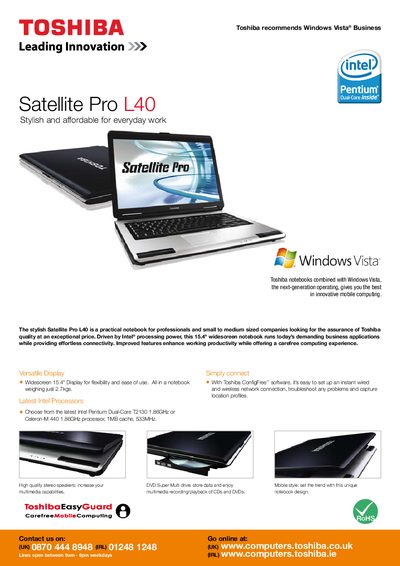
The Satellite Pro L40 is a 15.4" widescreen notebook designed for professionals and small‑to‑medium businesses. It runs Windows Vista Business and offers Intel Pentium Dual‑Core or Celeron‑M processors, DDR2 memory, and a range of storage options.
The manual details the system’s hardware specifications, connectivity options, battery and power features, physical dimensions, bundled software, and the 1‑year international warranty, helping users set up and maintain the laptop efficiently.
| Processor | Intel Pentium Dual‑Core 72130 1.86 GHz |
|---|---|
| Processor Options | Intel Celeron‑M 440 1.86 GHz |
| Memory | DDR2 512 MB‑1 GB, up to 2 GB expandability |
| Hard Disk | 60 GB or 120 GB |
| Display | 15.4" WXGA TFT, 1280 × 800 resolution |
| Graphics | Intel GMA 900, up to 224 MB shared memory |
| Wireless | 802.11b/g Wi‑Fi |
| Wired Communication | Ethernet 10/100 Mbps, V.92 modem |
| Battery | Lithium‑ion battery |
| Physical Dimensions | 365 mm × 269.5 mm × 36.8 mm, 2.7 kg |
| Warranty | 1‑year international warranty |
It ships with genuine Windows Vista Home Basic Edition.
You can choose either an Intel Pentium Dual‑Core T2130 1.86 GHz or an Intel Celeron‑M 440 1.86 GHz processor.
The notebook supports up to 2 GB of DDR2 RAM, with configurations of 512 MB or 1 GB.
It includes 802.11b/g Wi‑Fi for wireless networking.