
This document describes the buttons and lights on the EPSON DLQ-3500.
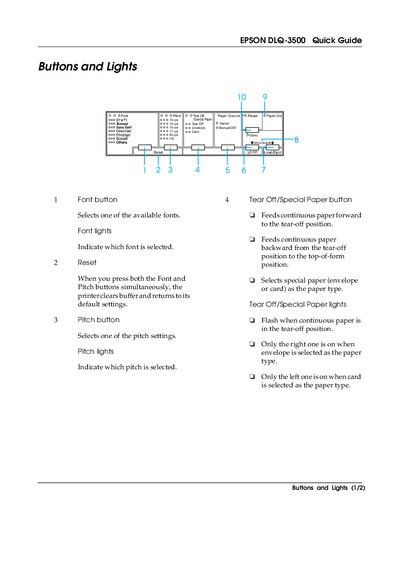
This guide introduces the control panel of the Epson DLQ-3500 printer, describing each button, light, and their functions. It covers how to select fonts, pitches, paper sources, and how to use the Micro Adjust mode for fine‑tuning paper positioning.
It also details default configuration options such as page length, auto tear‑off, interface mode, and paper‑thickness settings, plus troubleshooting help with error indicators and step‑by‑step instructions for replacing the ribbon cartridge.
| Page length for tractor | 3‑17 inches (various options) |
|---|---|
| High speed draft printing speed | 550 eps (characters per second) at 10 cpi |
| Interface modes | Auto, Parallel, USB, Option |
| Paper‑thickness lever default | AUTO position for ordinary paper |