
Introduces the operation steps of installing, removing and charging mobile phone batteries
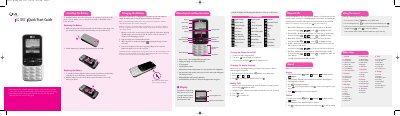
This guide shows how to install and remove the Li‑ion battery, charge it with the supplied wall charger, and turn the phone on or off. It also covers basic functions such as making calls, sending SMS, and using the bilingual (English/Spanish) interface.
Detailed instructions are provided for navigating menus, customizing sounds, managing contacts, and using features like the web browser, calculator, and voice command. Safety information includes antenna handling, SAR limits, and precautions for pacemakers and hearing aids. This manual is written in Chinese.
| Display | 7-line backlight LCD with status icons |
|---|---|
| Keypad | 23-key keypad |
| Language Support | Bilingual (English and Spanish) |
| Battery Type | Rechargeable Li‑ion battery |
| SAR Limit | 1.6 W/kg (FCC limit) |
Insert the battery into the opening on the back of the phone and slide the cover down until it locks into place.
Open the left soft‑key menu, select the language option, and choose English or Spanish.
The SAR limit set by the FCC for this model is 1.6 W/kg.
Enter the phone number using the keypad and press the call key to dial.