
This document is the user guide for the Samsung SGH-C300 mobile phone, providing information on the various features and settings of the phone. Depending on the software installed, service provider, or country, some descriptions may not match your specific phone. The appearance of the phone and accessories may also vary from the illustrations in this guide.
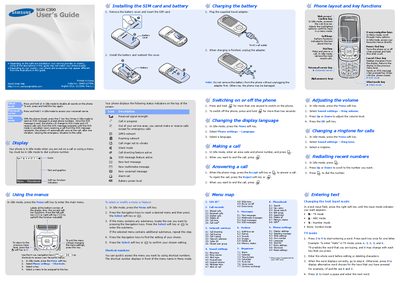
This guide explains how to use the Samsung SGH‑C300 mobile phone, covering basic operation, menu navigation, calling, messaging, and safety precautions. It includes detailed steps for installing the SIM card, charging the battery, and customizing settings such as language, volume, and ringtone.
The manual also contains reference sections on SOS emergency messaging, SAR compliance, and regulatory declarations, as well as quick feature references for shortcuts, alarms, calendar, and other built‑in applications.
| Network bands | GSM 900/1800 |
|---|---|
| Maximum SAR value | 0.476 W/kg |
| EU SAR limit | 2.0 W/kg |
Press and hold the power key (marked with the power/End symbol) for more than two seconds.
Close the phone and press the C key four times while in Idle mode; the phone will send the preset SOS message.
In Idle mode, press the Menu soft key, select Phone settings > Language, then choose the desired language.