
This document describes the method and steps for using the Nikon CoolPixP6000 camera and a microscope adapter for microscopic documentation. The document provides detailed instructions for installation and camera settings, and also includes installation instructions for different types of adapters.
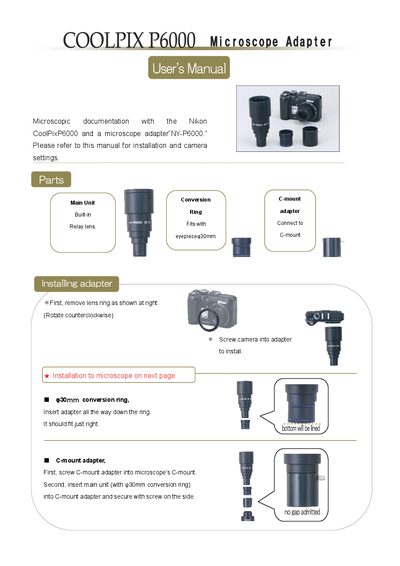
The adapter connects the Nikon COOLPIX P6000 camera to a microscope using a C‑mount conversion ring. Installation involves removing the lens ring, screwing the camera into the adapter, and attaching the adapter to the microscope’s C‑mount or eyepiece tube, depending on the tube diameter.
The manual also explains camera operation with the adapter, covering easy (scene) mode, manual mode, ISO sensitivity, exposure compensation, and additional features such as wireless remote control and image size selection.
| C‑mount outer diameter | 25.4 mm |
|---|---|
| Conversion ring diameter | 30 mm |
| Compatible C‑mount type | Direct (1.0) only |
Rotate the MODE DIAL to M (manual), press FOCUS MODE, select MF, set ISO, aperture (F‑number), and shutter speed as needed, then capture the image.
Keep ISO at or below 800; higher values may introduce noise.